Sunday, September 7, 2008

»» Feathered Transparency with Photoshop & Dreamweaver - Part 1

In this post we will see about the mode of working with feathered transparency in Photoshop and Dreamweaver. If you've been working in the world of web design for more than a day, you know all about the struggles and frustrations surrounding the issue of transparency. Well thankfully, with a little 21st century technology and a wee bit of CSS, which we'll do in Dreamweaver, we can actually achieve some pretty amazing transparent effects - across all the popular web browsers. To do so, we'll be making use of the PNG (Portable Network Graphics) file format, a format that offers up a lot of potential, but that's sadly been forgotten by most designers and developers.

Before we really get going, here's some quick background info. Way back in the web's stone-age (circa 1995, to be precise), PNG was developed as a response to the licensing controversy surrounding the GIF file format. But developers sought not just to replace GIF, but to vastly improve upon it. And they succeeded. What they wound up creating was a file format that combined the best features of both GIF and JPG, that uses loss less compression, handles a variety of color spaces, 24-bit images, and most importantly, supports feathered transparency. As a matter of fact, PNG comes in two flavors: PNG-8 and PNG-24. It's PNG-24 that we'll be looking' at here. He's the version that'll support feathered transparency.

Now GIF, PNG's main rival, measures up like a wet noodle in comparison. GIF can only handle 8-bit images with a maximum of 256 colors, compression is often weaker than PNG's, producing larger file sizes, and GIF only supports binary transparency - that is, in a GIF image, a color is either 100% transparent or it's 100% opaque. Whereas with PNG, we can have degrees of transparency, known as alpha transparency.

To be continued in Part 2.....

Graphic Identity Blog Updates (Round 2)

We are so thankful with the fact that you have followed Graphic Identity Blog so far... and this blog is getting more subscribers and new visitors everyday. Meaning that Graphic Identity's team need to work harder to bring you fresh content and articles. For that, we decided to invite another contributor so, you'll see Graphic Identity blog updates are written by new admin. Any wonder of who will it be? :)


NEW CONTRIBUTOR
Introducing Selerines Groups, they are a group of creative people behind the Selerines World blog. They wrote wonderful articles about international - national issues, love & personal discussion topics, computers and some entertaining news from across the world. We have invited them to be one of our blog author several days ago. Selerines will publish sponsored posts and regular posts too. Sounds cool isn't it?

Read More

SPONSORED POSTS vs REGULAR POSTS
We will always here to keep this blog going bigger with quality content, but we also need few bucks to make it happen. Here after this blog will contain some sponsored posts in between regular posts. The regular posts will be marked by "»»" in the title and sponsored posts will contain just the title. Hence, we hope you can configure those two types of post better while you receiving updates by email feed, feed reader or make a regular visit to our blog. Simply giving you clue of option to read your desired topic of posts ;)


FIRST PREMIUM VECTORS
Just in case you missed this, we also want to inform you that we have launched our first premium design: 16 Fantasy Floral Vectors. Get the premium vectors samples in Photoshop brush set (.ABR ) format by visiting this featured post:
  • 5 Fantasy Floral Photoshop Brushes


  • ANOTHER BLOG CONTRIBUTORS? WHY NOT?
    Brainstormed with new ideas and topics to blog about can be fun too.... we still need to have more blog contributors in advance. Right now we think of any possibilities to grant guest post author with more descent reward beside traffics from backlinks or receive an appreciate recognition from Graphic Identity Blog's readers.
    If you like to write a guest post or tutorial, We’d love to hear from you. Send us an email to graphicidentity.blog@gmail.com.


    Have a nice weekend to you all!
    Cheers :D

    Friday, September 5, 2008

    Graphic Methods in Microsoft Visual Studio 2008 .NET Framework 3.5

    For all the .NET lovers and users, here I am going to put one post which describes about the new graphic methods in Microsoft Visual Studio .NET 3.5 . Microsoft is always trying to update the .NET regularly and all the updates are really helpful to many of the graphical users to do their graphical designs. Here I am going to put some new methods in .NET 3.5 and I will put the link too.

    Purchase: Microsoft Visual Studio 2008

    AddMetafileComment : Adds a comment to the current Metafile.

    BeginContainer: Overloaded. Saves a graphics container with the current state of Graphics and opens and uses a new graphics container.

    Clear : Clears the entire drawing surface and fills it with the specified background color.

    CopyFromScreen : Overloaded. Performs a bit-block transfer of color data from the screen to the drawing surface of the Graphics.

    CreateObjRef : Creates an object that contains all the relevant information required to generate a proxy used to communicate with a remote object

    DrawArc : Overloaded. Draws an arc representing a portion of an ellipse specified by a pair of coordinates, a width, and a height.

    DrawBezier : Overloaded. Draws a Bézier spline defined by four Point structures.

    DrawClosedCurve : Overloaded. Draws a closed cardinal spline defined by an array of Point structures.

    DrawCurve : Overloaded. Draws a cardinal spline through a specified array of Point structures.

    DrawEllipse : Overloaded. Draws an ellipse defined by a bounding rectangle specified by a pair of coordinates, a height, and a width.

    To know more about the new graphics methods in .NET check this link


    Wednesday, September 3, 2008

    5 Fantasy Floral Photoshop Brushes

    Hi everyone! today, we just want to compile Graphic Identity Blog's Fantasy Floral Photoshop Brush series. Thank you very much for your comments, back-links, appreciations and feedbacks to these posts! :D

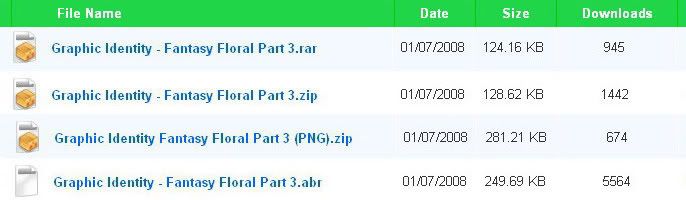
    We think it will be interesting to include the stats for these collection, and surprisingly, we have the most wanted brush set from this series. For some reason, the stats just give us a useful clue to design better brush set in the future! The stats shows that Fantasy Floral Photoshop Brushes - Part 3 is the most favorite brush set among all. It has been downloaded with totals of more than 8000 times in 4 types of file format, and still counting.

    Fantasy Floral Photoshop Brushes click to enlarge

    Read More


    Please tell us, which one is your favorite! and if you already using one of our brush set collection, you can submit it to Graphic Identity Design Showcase at Flickr. More comments and feedbacks are welcome as always ;)


  • Fantasy Floral Photoshop Brushes – Part 1

  • Fantasy Floral Photoshop Brushes


  • Fantasy Floral Photoshop Brushes – Part 2

  • Fantasy Floral Photoshop Brushes - Part 2


  • Fantasy Floral Photoshop Brushes - Part 3

  • Fantasy Floral Photoshop Brushes - Part 3


  • Fantasy Floral Photoshop Brushes - Part 4

  • photoshop brushes, floral, vectors,


  • Fantasy Floral Photoshop Brushes – Part 5

  • Fantasy Floral Photoshop Brushes - Part 5


    Be sure to check this design set also
    Fantasy Floral Vectors


    RECENT UPDATES:
    Graphic Identity Blog' Photoshop brushes have been featured on several round up posts. Have a great time to check them out ;)
  • Massive Collection of Over 1,000 Floral Photoshop Brushes
  • 400+ Floral Brushes for Photoshop
  • 42 Free Nature And Floral Photoshop Brush Sets
  • 1000+ Free High Resolution Photoshop Brush
  • Ultimate Collection of Free Adobe Photoshop Floral Brushes


  • Biweekly Blogroll Links - September 3rd 2008

    WEB DESIGN and INTERNET
    Links of Interest by Chris Coyier
    So You Need A Photo Gallery Website? by TutorialBlog.org
    Customized Feedburner Subscription Box by DC
    25 More Incredibly Artistic Website Designs (Part 3) by Vandelay Website Design
    Google’s 10th Birthday Technology At Hand
    Internet Explorer 8 Beta 2 For Windows Reviewed by Mert Erkal
    Pluggable Mootools Tabs by Sean
    Web Services I Can’t Live Without as a Web Designer by Kumailht
    Static vs Dynamic IP by $ n $

    Read More

    Featured Post

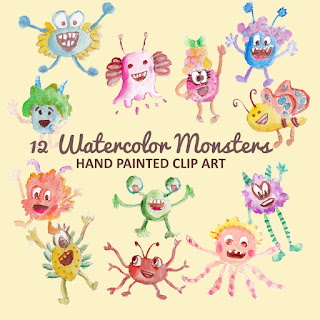
    Monster Illustration Vectors that Work

    Not all monsters are scary and we can apply them in a design composition or illustration. You may want to search bunch of new created monst...