Showing posts with label text effect. Show all posts

Saturday, September 18, 2010

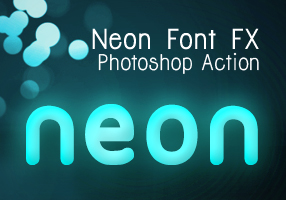
Neon Font Effect Photoshop Actions

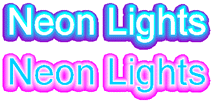
Recently I followed a cool screencast tutorial on Abduzeedo.com : Super Easy Neon Style in Photoshop and gave a quick try.

The final result is beautiful and I like the possibility in adjusting colors before and after you hit the play button on Photoshop Actions panel. Actually it was a very easy tutorial, which I am sure everyone can easily follow just like I did. But with the series of settings on the tutorial, which you may miss them in some points to produce the neon font effect make me think to create a set of Photoshop Actions. I made 3 variants after I played a bit with the settings from that tutorial and now you can download it for free.

See the demo-screencast below to use the photoshop action. Feel free to ask me questions or send feedbacks via our comment form.

Read More


You can read our previous tutorial if you don't know what photoshop action is and how to install it: Graphic Identity Photoshop Action.

All of Graphic Identity's 'Free Design Box' files are FREE (for personal or commercial use). But please read: Legal Usage to employ Graphic Identity's 'Free Design Box' files before you decide to download the files.

Graphic Identity - Neon Font FX.zip (169.54 KB)
Neon Font Effect Photoshop Actions Download


Related Post:

Tuesday, November 18, 2008

»» Corel Draw Text Effects - Part 2

1. Chrome Text Effect
Do you all get worried because of color combination in order to get Chrome effect in texts that you are using? Fine check this out to get it out...

2. Gold Text Effect
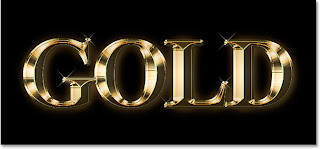
Here you check about how to get Gold effect....
3. Neon Effect
I am really got interested in this text effect because of it's nature of design. It is that much cool and a great one to have it. Fantastic effects are used here to get Neon effect.

Sunday, October 26, 2008

»» Photoshop Text Effects - Part 3

1. Plastic Text Effect
In this Photoshop text effects tutorial, we're going to learn how to use Photoshop's Layer Styles to easily make text look as if it's made out of plastic.

2. Clear Plastic
This is a quite simple tutorial to create a very nice plastic feel to your texts and shapes.


3. Tin or Aluminum Foil
Wrap your text in tin/aluminum foil without using filters.

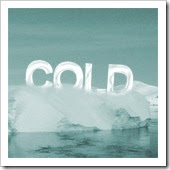
4. Freezing Cold Text
In this tutorial, i'll show you how to make your text freezing cold. This tutorial will also show you how to use this ice text on any colored background.


Wednesday, October 22, 2008

»» Illustrator Text Effect Tutorials - Part 2

1. Logo using Glassy Transparent Text
Adobe Illustrator is great for making Logo's and there are many things that people dont know about Illustrator even though its such a powerful software. This image below was made using Adobe Illustrator CS.

2. Grunge Text Effect
The Grunge/scratchy effect has grown more and more popular for t-shirt designs and I thought I would share one way of how here we recreated this design in Adobe Illustrator CS. Our Goal is to go from this plain looking piece of text to a stylish grunge design.


3. Website Text Effect
Just check it out in full size, it's a pretty cool effect you could use for your site or in some magazine if you have the possibility.


4. Distressed Art Effect
This effect is really nice since it just shows us the effect of damaged piece of wood and so on. So just try it out.....

Thursday, October 16, 2008

»» Illustrator Text Effect Tutorials - Part 1

1. Old School Type
This Old School type text effect is really cool and it just depicts the perfect old style. Check this out....

2. Metallic Text Effect
Create a metallic text effect using Illustrator.


3. Swan Logo
The letter 'S' is changed in to a Swan like structure, which is really nice. 4. Peacock Logo
Sometimes its hard to think of logo ideas. Here I show you how to make an interesting peacock logo.


Wednesday, October 15, 2008

»» Photoshop Text Effects - Part 2

1. 3D Cliff Effect


2. Plastic Text Effect


3. Matrix Text Effect
4. Shocking Effect


Friday, October 10, 2008

Thursday, October 9, 2008

»» Photoshop Text Effects

1. Transparent Glass Lettering

2. Simple dark but vivid text effect

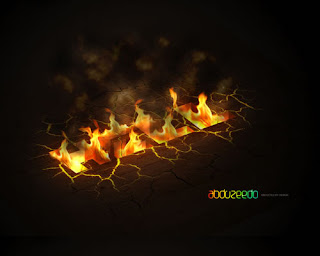
3. Dramatic Text on Fire Effect

4. Smooth Glass Type


Glow or Neon Effect of fonts in Photoshop

Do you want to know how to get a Neon or Glow effect in Photoshop for fonts? Check this post.....

1. Create new file with 72 PPI and white background. Type the text using black color with thin font.

2. Layer > Flatten Image

3. Image > Adjust > Invert


4.
Filter > Blur > Guassian blur (Radius 2.0)


5. Filter > Stylize > Solarize


6.
Image > Adjust > Auto Levels


7. Image > Adjust > Hue Saturation

Click Colorize

Drag the Saturation slider to 100


Try it out.....


Saturday, September 27, 2008

»» Text Effect Tutorials using Photoshop - Part 2

1. Reflective Liquid Type
Tutorials on creating metal type abound online, as do variations on simple liquid effects. Most are fairly short, offering a good foundation for the reader on how certain effects are achieved but fail to take that extra step (or few steps) to make the piece really shine. Once you have an idea of how different techniques fit together in a piece, it is fairly easy to combine, say, the process to create metal and the process to create liquid to create something that exists in both sides of the FX map.

2. Layered Glowing Text Effect
In this tutorial, we will create this effect using very basic Photoshop tools and layering effects. This tutorial is simple enough for a beginner to understand, but I should warn you that in this tutorial there ends up being over 60 active text layers, which will require a heavy use of your computer's memory. Let's jump into this tutorial and layer some glowing text.

3. Graffiti with Photoshop
In this tutorial we will see about the text effects using the real object...


4. Spectacular Grass Text Effect in Photoshop
Ever wanted to make text out of grass? Well with Photoshop you can. In this tutorial we'll create a rather cool-looking grass-text effect using a photo of grass, the Pen Tool and a bit of patience.


Wednesday, September 24, 2008

»» Text Effect Tutorials using Photoshop

1. 3D Ice Text Effect
In this tutorial we will learn to use different filter settings, create 3D text effect, different layer styles and much more!

2. Starcraft 2 wallpaper
This tutorial will teach you how to create Starcraft theme wallpaper.


3. Star Wars text effect
In this tutorial we will be working on a Star Wars text effect.


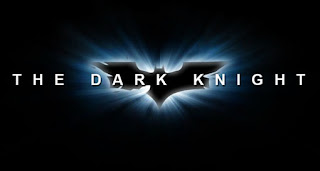
4. Batman The Dark Knight
This time you will use Adobe Photoshop. You will create Batman The Dark Knight (2008) title, like you've seen in image below.


Monday, September 22, 2008

»» Text Effects Tutorials - Part 2

Here we will some Text Effects using Photoshop....

1. Marbel or stone Text Effect

2. Text-shadow

3. Metal Text4. Flame Effect


Sunday, September 21, 2008

»» Text Effects Tutorials - Part 1

In this post we will see some tutorials for text effects using Photoshop...

1. Try this one out, since this text effect is looking really cool because of it's chocolate effect.


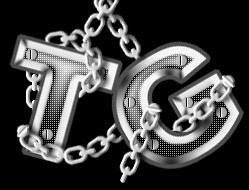
2. I like this text effect because of it's chain like look. At the same it is looking very shiny too. Try it out..

3. The fire effects in the text will surely give some stylishness in to it. Am I right? Just check this out...

4. Gold look is really nice for any objects.. Check this here...

Featured Post

Monster Illustration Vectors that Work

Not all monsters are scary and we can apply them in a design composition or illustration. You may want to search bunch of new created monst...